ZCS Azzurro Ethernet Adapter RS232 ZSM-ETH-EXT | MR WATT
zoom_out_map
chevron_left chevron_right
New

ZSM-ETH-EXT

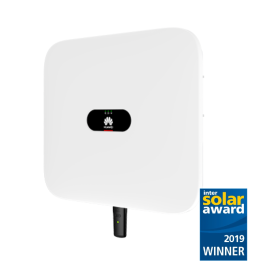
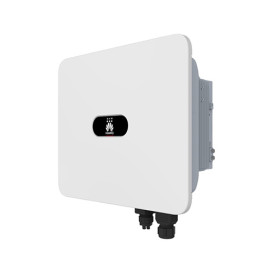
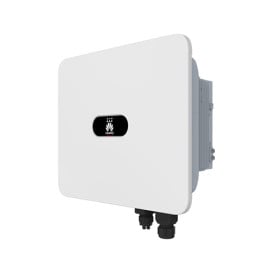
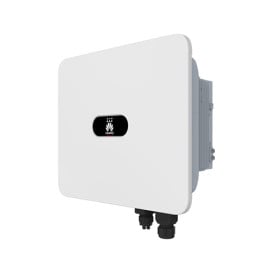
ZSM-ETH-EXT: external Ethernet adapter for monitoring ZCS Azzurro single-phase Lite, hybrid and three-phase inverters. Connects the inverter to the router with an RJ45 network cable, with no dependency on Wi-Fi signal strength.

It plugs into the inverter RS232 communication port (external circular connector) and is powered by the inverter itself. ZCS Azzurro app and portal included.

Check before ordering: if your inverter has a USB port you need the ZSM-ETH-USB model instead.

€44.94 Tax escl.

The ZSM-ETH-EXT is the ZCS Azzurro external Ethernet adapter that brings your PV inverter onto the monitoring portal using a network cable instead of Wi-Fi. It is the right choice when the inverter is installed in a garage, a basement, a technical room or inside a metal enclosure, where the wireless signal is weak or unstable.

EXT or USB? Check the inverter port before ordering

This is the most common purchase mistake in this range. ZCS adapters come in two mechanical versions that are not interchangeable: the EXT version plugs into the RS232 port (external circular connector on the inverter body), the USB version plugs into the USB slot. Before ordering, look at the bottom of your inverter and check which connector is fitted.

RS232 port + wired connection ZSM-ETH-EXT (this product)
RS232 port + Wi-Fi connection ZSM-WIFI-EXT
USB port + wired connection ZSM-ETH-USB
USB port + Wi-Fi connection ZSM-WIFI-USB
No internet available on site ZSM-4G-USB (SIM included)
Plant with 2 or more inverters ZSM-DATALOG-04

ZSM-ETH-EXT technical specifications

Part number ZSM-ETH-EXT
Type External Ethernet adapter for inverters
Inverter interface RS232 port (dedicated external connector)
Network interface RJ45, network cable to the router
Connectable inverters 1
Power supply Internal, directly from the inverter
Installation External, on the inverter body
Compatibility Azzurro single-phase Lite, hybrid and three-phase inverters with RS232 port
Configuration Dedicated web page on the adapter
Monitoring ZCS Azzurro app (iOS/Android) and web portal, no subscription

When Ethernet beats Wi-Fi

Wi-Fi is convenient but it is the number one reason why plants "disappear" from the portal. If the router is far away, if there are load-bearing walls in between or if the inverter sits inside a metal cabinet, the signal drops and monitoring becomes intermittent. With a network cable the connection is stable and unaffected by domestic Wi-Fi congestion.

Choose Ethernet in these typical cases: inverter in a garage or basement, inverter in a technical room away from the house, inverter inside a metal enclosure, commercial plants where structured cabling is already in place. If there is no network socket near the inverter, a powerline adapter over the mains solves it without building work.

What you can monitor

  • Instant, daily, monthly and lifetime production of the plant
  • Self-consumption and grid import, when a meter is installed
  • Battery state of charge on hybrid inverters
  • Alarms and error codes with push notifications in the app
  • Remote inverter firmware updates through ZCS support

Frequently asked questions

How do I know whether my ZCS inverter needs the EXT or the USB version?

Look at the bottom of the inverter, where the communication connectors are. A dedicated circular screw connector means an RS232 port, so you need the ZSM-ETH-EXT. A USB slot means you need the ZSM-ETH-USB. The two adapters are not interchangeable and will not physically fit the other port.

Does the ZSM-ETH-EXT need a separate power supply?

No. The adapter is powered directly by the inverter through the communication port, so no extra mains socket is required. As a consequence it switches off when the inverter goes into stand-by at night: if you need 24-hour consumption monitoring, the right solution is a datalogger with its own power supply.

Is the network cable included?

No, the Ethernet cable should be sized according to the distance between inverter and router. A standard Cat.5e or Cat.6 cable is fine; for outdoor runs use a shielded cable rated for external installation. The recommended maximum length of a single Ethernet run is 90-100 metres.

Can I connect two inverters to one ZSM-ETH-EXT?

No, each adapter serves a single inverter. If the plant has two or more inverters you have two options: one adapter per inverter, or a ZSM-DATALOG-04 datalogger that collects them all over RS485 and shows them on the portal as one plant. The second option is the correct one when plant-level totals are needed.

How is it configured after installation?

Plug the adapter into the inverter port, connect the network cable to the router and open the adapter dedicated web page to check the link. Then register the plant in the ZCS Azzurro app or portal using the adapter serial number: from that moment data is uploaded automatically.

ZCS Azzurro
edde4458-b0c2-11ea-8e21-42010a9c0ffc
100 Items