


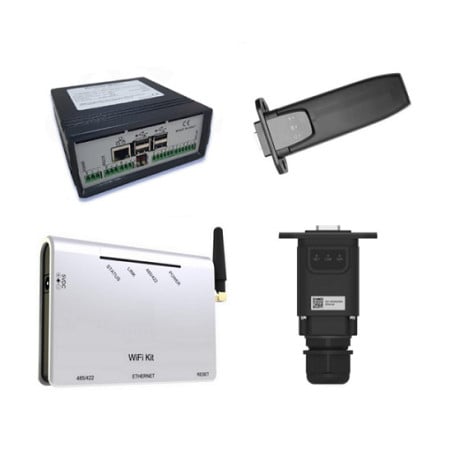

Kit Wi-Fi EXT ZCS Azzurro ZSM-WIFI-EXT
ZSM-WIFI-EXT: external Wi-Fi module with antenna for monitoring ZCS Azzurro single-phase Lite, hybrid and three-phase inverters. Connects the inverter to your home network with no cabling.
It plugs into the inverter RS232 communication port (external circular connector) and is powered by the inverter. The external antenna gives a wide coverage range even at a distance from the router.
Check before ordering: if your inverter has a USB slot you need the ZSM-WIFI-USB model instead.
The ZSM-WIFI-EXT is the ZCS Azzurro external Wi-Fi monitoring module for inverters fitted with an RS232 port. Thanks to its external antenna it holds the home network even when the inverter is a couple of rooms away from the router, and sends production, consumption and alarm data to the ZCS app and portal at no subscription cost.
EXT or USB? The inverter connector decides the model
The most common cause of returns in this range is the wrong mechanical version. The EXT version plugs into the RS232 port, the external circular connector under the inverter; the USB version plugs into the USB slot. The two formats are not interchangeable: check your inverter before ordering.
| RS232 port + Wi-Fi connection | ZSM-WIFI-EXT (this product) |
| USB port + Wi-Fi connection | ZSM-WIFI-USB |
| RS232 port + network cable | ZSM-ETH-EXT |
| USB port + network cable | ZSM-ETH-USB |
| No internet available on site | ZSM-4G-USB (SIM included) |
| Plant with 2 or more inverters | ZSM-DATALOG-04 |
ZSM-WIFI-EXT technical specifications
| Part number | ZSM-WIFI-EXT |
| Type | Externally mounted Wi-Fi monitoring card |
| Inverter interface | RS232 port (dedicated external connector) |
| Internet connection | 2.4 GHz Wi-Fi to the home router |
| Antenna | External, for wide coverage range |
| Connectable inverters | 1 |
| Power supply | Internal, directly from the inverter |
| Compatibility | Azzurro single-phase Lite, hybrid and three-phase inverters with RS232 port |
| Configuration | Dedicated adapter web page or ZCS Azzurro app |
| Monitoring | ZCS Azzurro app (iOS/Android) and web portal, no subscription |
Getting the Wi-Fi right first time
Setup takes a few minutes, but three details cause most failed first installations. First: the module works on the 2.4 GHz band, so a 5 GHz network is simply not seen. If the router broadcasts both bands under the same name, create a separate 2.4 GHz SSID or temporarily disable the 5 GHz band during setup.
Second: use a password without awkward special characters and make sure the network runs WPA2. Third: point the antenna upwards and avoid enclosing the inverter in a metal cabinet, which acts as a Faraday cage. If the link is still unstable after all this, the definitive fix is moving to the Ethernet model ZSM-ETH-EXT.
What you can monitor
- Instant, daily, monthly and lifetime production of the plant
- Self-consumption and grid import, when a meter is installed
- Battery state of charge and cycles on hybrid inverters
- Alarms and error codes with push notifications in the app
- Remote diagnostics and firmware updates through ZCS support
Frequently asked questions
How do I know whether I need the ZSM-WIFI-EXT or the ZSM-WIFI-USB?
Look under the inverter, where the communication connectors are. A circular screw connector means an RS232 port and therefore the EXT model. A rectangular USB slot means the USB model. The two adapters have different mechanical fittings and cannot be used in place of one another.
Does it work with a 5 GHz Wi-Fi network?
No, the module only connects to 2.4 GHz networks, like virtually all PV monitoring devices. If your router broadcasts 2.4 and 5 GHz under the same network name, create a dedicated 2.4 GHz SSID or temporarily disable the 5 GHz band while configuring it.
What is the Wi-Fi range of the adapter?
The external antenna provides a wide range, but the usable distance depends on walls and router position. In a normal flat the link is reliable one or two rooms away. If the inverter is in a garage, a basement or a metal enclosure, move to the Ethernet model or install a Wi-Fi repeater close to the inverter.
Is a subscription needed to see the data in the app?
No. The ZCS Azzurro app for iOS and Android and the web portal are free: just create an account and register the plant with the adapter serial number. Data is updated automatically and the full production history stays available.
If I change router, do I have to reconfigure the adapter?
Yes, the new Wi-Fi network and password must be entered again, because the adapter stores the SSID and credentials. This is done from the module web page or the app: the plant on the portal and the data history are not lost, only the local network link changes.