


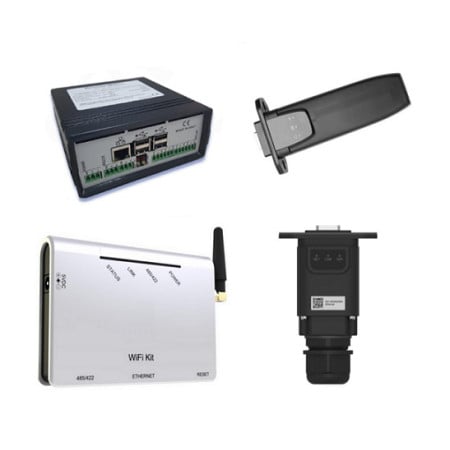

ZSM-ETH-USB
ZSM-ETH-USB: Ethernet adapter for ZCS Azzurro inverters fitted with a USB port (single-phase Lite, hybrid and three-phase). Connects the inverter to the router with an RJ45 network cable, with no reliance on Wi-Fi coverage.
It plugs into the USB slot on the inverter body and is powered by the inverter itself. ZCS Azzurro app and monitoring portal included, no subscription.
Check before ordering: if your inverter has the circular RS232 connector you need the ZSM-ETH-EXT model instead.
The ZSM-ETH-USB is the USB version of the ZCS Azzurro Ethernet adapter: it brings the PV inverter onto the monitoring portal using a network cable instead of Wi-Fi. It is the correct choice for Azzurro inverters with a dedicated USB slot on the underside, installed where the wireless signal is weak: garages, basements, technical rooms, metal cabinets.
USB or EXT? The inverter connector decides the purchase
The most frequent ordering mistake in this range is picking the wrong mechanical version. The USB version plugs into the inverter USB slot, the EXT version plugs into the RS232 port (external circular connector). The two formats are not interchangeable: check the bottom of your inverter before ordering.
| USB port + wired connection | ZSM-ETH-USB (this product) |
| USB port + Wi-Fi connection | ZSM-WIFI-USB |
| RS232 port + wired connection | ZSM-ETH-EXT |
| RS232 port + Wi-Fi connection | ZSM-WIFI-EXT |
| No internet available on site | ZSM-4G-USB (SIM included) |
| Plant with 2 or more inverters | ZSM-DATALOG-04 |
ZSM-ETH-USB technical specifications
| Part number | ZSM-ETH-USB |
| Type | External Ethernet adapter with USB connection |
| Inverter interface | USB slot on the inverter body |
| Network interface | RJ45, network cable to the router |
| Connectable inverters | 1 |
| Power supply | Internal, directly from the inverter |
| Compatibility | Azzurro inverters with USB port: single-phase Lite (1PH TLM-V3), hybrid and three-phase (3PH KTL-V3) |
| Configuration | Dedicated web page on the adapter |
| Firmware update | Dedicated ZCS procedure for ETH-USB loggers |
| Monitoring | ZCS Azzurro app (iOS/Android) and web portal, no subscription |
Why a network cable beats Wi-Fi
Most "plant offline on the portal" reports come down to Wi-Fi that does not reach the inverter properly. Load-bearing walls, distance from the router, metal enclosures and a congested band cause intermittent dropouts and gaps in the production charts. With a network cable the link is stable and continuous, and remote diagnostics work when the installer actually needs them.
If there is no network socket near the inverter, the quickest fix is a pair of powerline adapters using the existing electrical wiring: no building work and far better stability than Wi-Fi in a basement or garage.
What you can monitor
- Instant, daily, monthly and lifetime production of the plant
- Self-consumption and grid import, when a meter is installed
- Battery state of charge and cycles on hybrid inverters
- Alarms and error codes with push notifications in the app
- Remote diagnostics and firmware updates through ZCS support
Frequently asked questions
How can I be sure my ZCS inverter has a USB port?
Look at the bottom of the inverter, where the communication connectors are: a rectangular USB slot means the ZSM-ETH-USB is the right model. A circular screw connector means an RS232 port, so you need the ZSM-ETH-EXT. Single-phase 1PH TLM-V3 and three-phase 3PH KTL-V3 inverters typically use the USB slot.
Can I use an ordinary USB stick instead of this adapter?
No. The inverter USB slot is not a general purpose data port: it only accepts ZCS communication modules, which include the interface electronics and the firmware that uploads data to the portal. A memory stick or a generic USB-to-Ethernet adapter will not be recognised.
Does it need a power supply or an extra socket?
No, the adapter is powered by the inverter through the USB slot. Bear in mind that it switches off when the inverter goes into stand-by after sunset: to log household consumption at night as well, you need a datalogger with its own power supply, such as the ZSM-DATALOG-04.
Is the network cable included?
No, it should be chosen according to the distance between inverter and router. A Cat.5e or Cat.6 cable is enough; for outdoor runs use a shielded cable rated for external installation. The recommended maximum length of a single Ethernet run is 90-100 metres.
Can I switch from Wi-Fi to Ethernet on an existing installation?
Yes. Pull the Wi-Fi module out of the USB slot, plug in the ZSM-ETH-USB and connect the network cable to the router. The plant then has to be re-linked on the portal using the new adapter serial number: the production history remains available and from that point data arrives over the wired connection.